Dashboard
Goal
Enable brand managers to pay creators and manage funding, approvals, and campaign details clearly and quickly in one place.
Overview
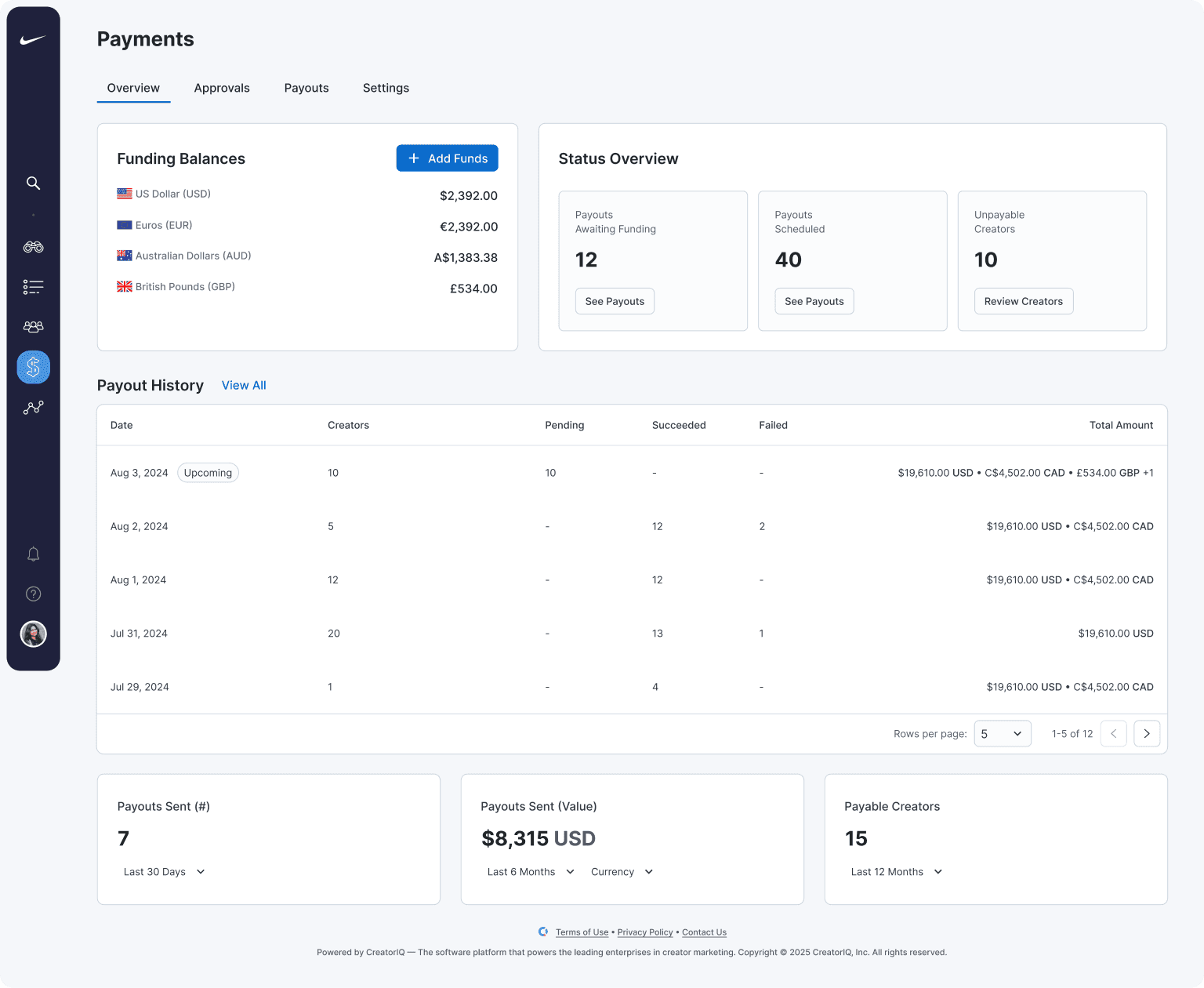
CreatorIQ is a creator marketing platform used by brands and content creators to connect, collaborate, and run campaigns from inception to completion and payment. We designed a high-fidelity dashboard for brands to review payment activities, manage approvals, and monitor in-progress payments, providing clear visibility into funding balances, transaction history, and several key performance metrics.
TL;DR
We turned scattered finance pages into a single Payments screen that answers the three questions brands are asking: "Are we funded?" "What’s blocking payouts?" and "What should I approve today?" Managers can now progress from seeing an issue to resolving it in one or two clicks instead of compiling different information from dispersed sources before taking action.
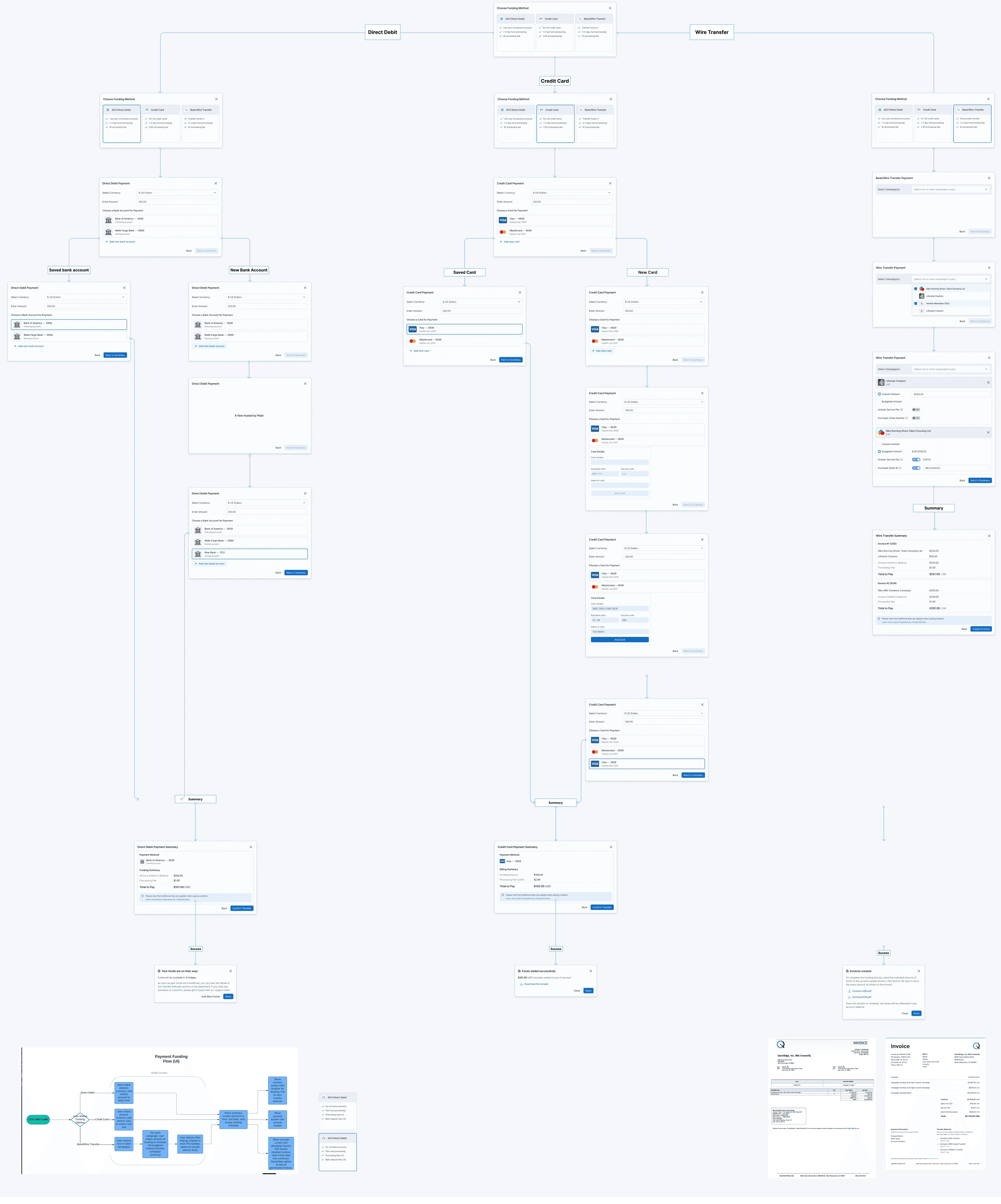
"Add funds" flow ↓
Situation
The finance UI was in disarray. Balances were in one place, approvals in another, and payout status somewhere else. Rails that made payments possible were hidden behind settings. Teams started each day collecting data from different sources, digging around to understand their financial picture, and putting the pieces together to determine what action to take.
Problems
No at-a-glance summary of the current financial picture
Blockers buried in UI (taxes/KYC, payment methods, currency mismatches)
Approvals required context switching and lacked bulk actions
Payout tracking spread across multiple tables and terms
Approach
I began with a flow audit and a pass through support tickets, then desk calls with finance leads. The friction was more than UX, but an overall structure that lacked cohesion. We reframed Payments around daily jobs: fund → approve → pay → configure. From there I defined shared statuses and summary patterns, prototyped the end-to-end experience, and instrumented it for a lightweight pilot.
Design Principles
One decision at a time
Every number is a doorway to a filtered view
Separate wallets by currency for clarity
Progress and status stay consistent across pages
Plain language in tiles, tables, and empty states
Solution
Overview
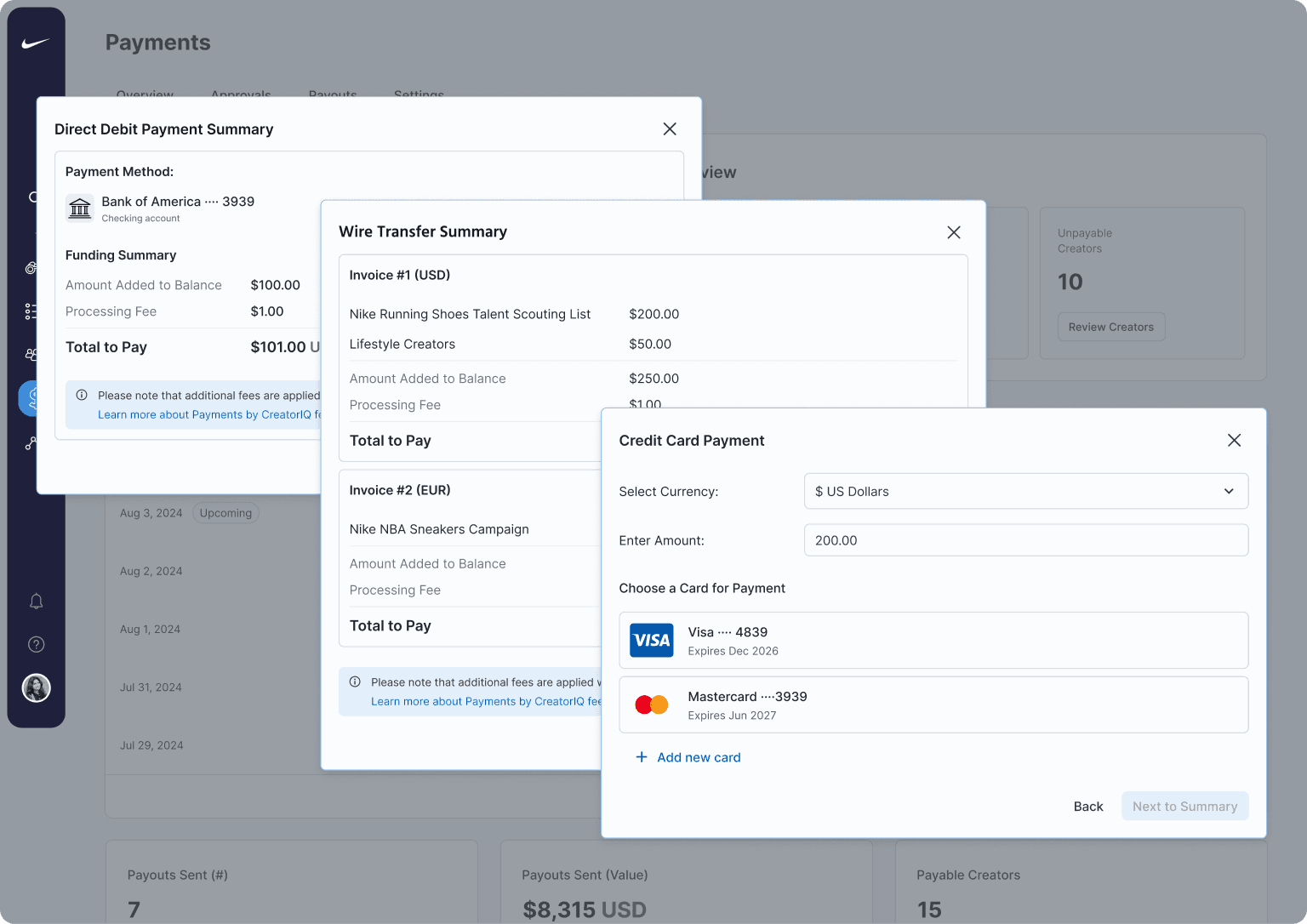
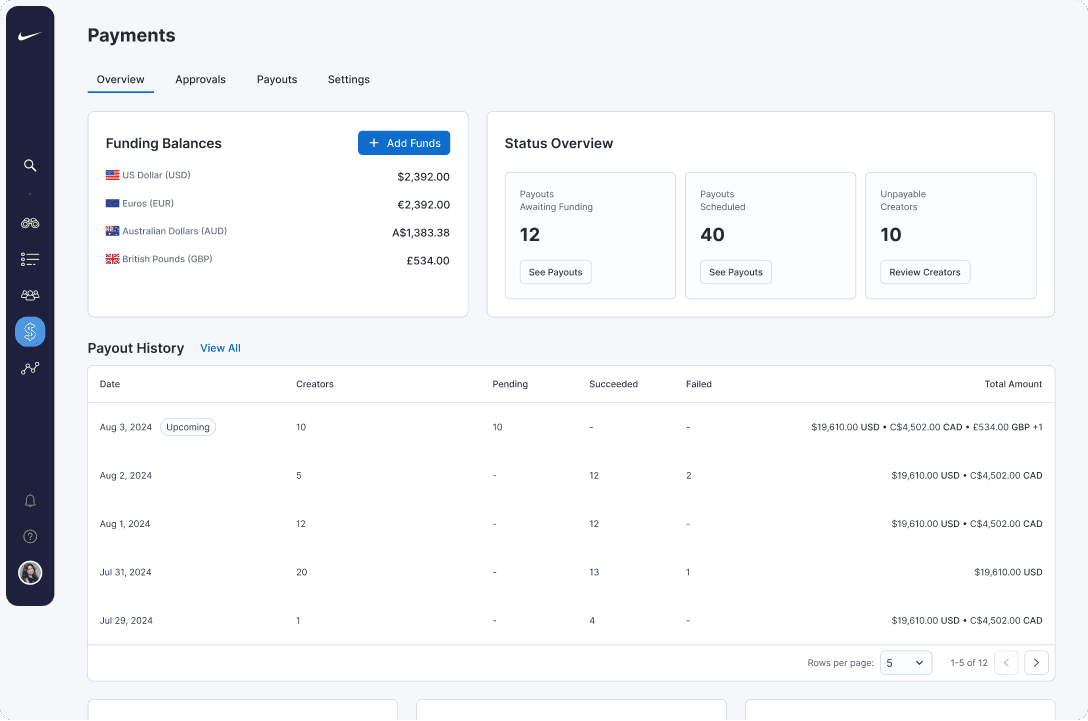
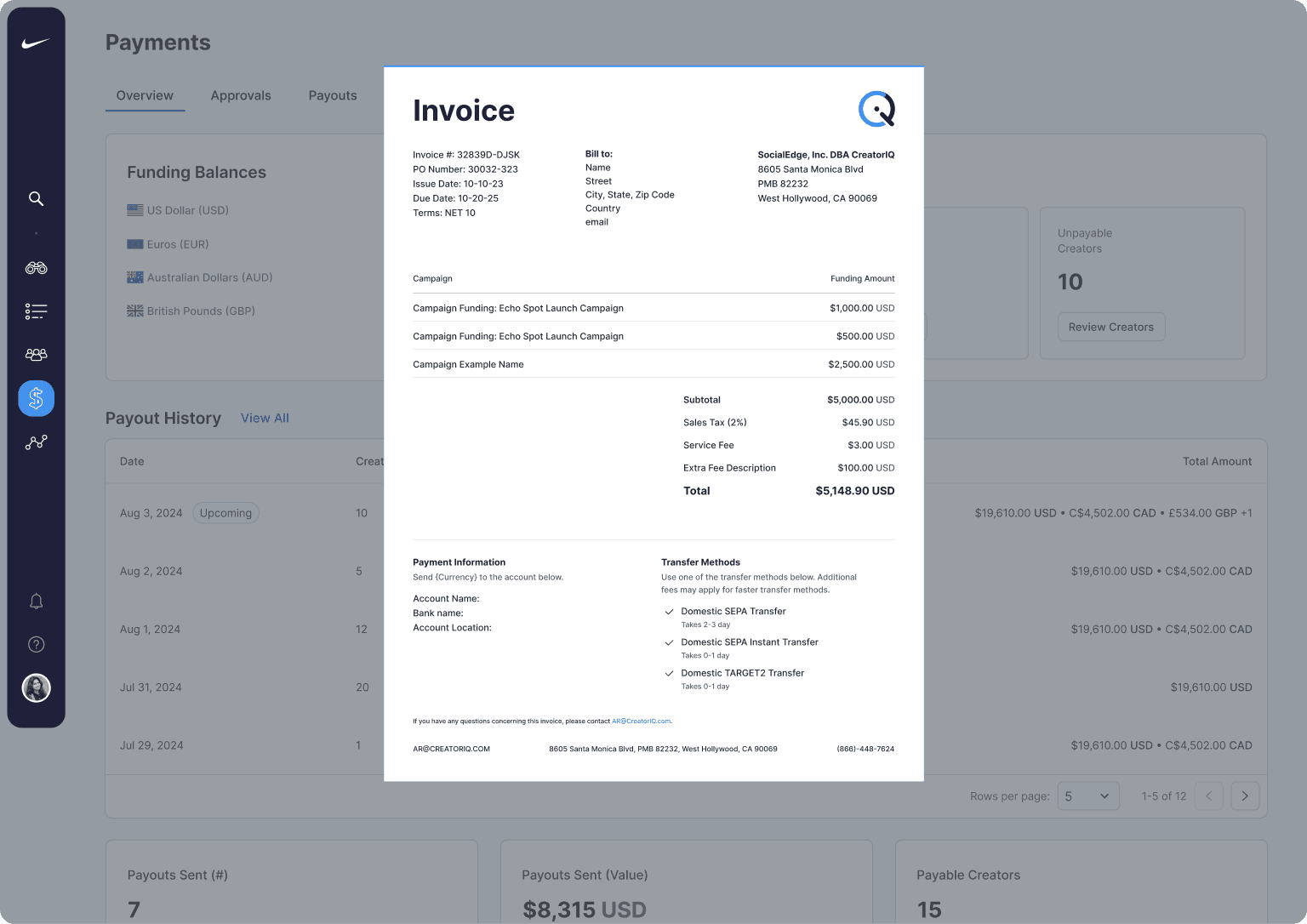
The Overview page provides all of the information brand managers need in one easy location. Currency balances are the first thing they see. Status tiles provide clear categories — Awaiting Funding, Scheduled Payouts, Unpayable Creators — and each tile opens a clear list filtered to each category. Recent Payout History mirrors the same columns seen elsewhere, so drilling down feels consistent. The Add Funds action is co-located with balances, launching a unified funding flow with fees and timelines spelled out before commitment.
Approvals
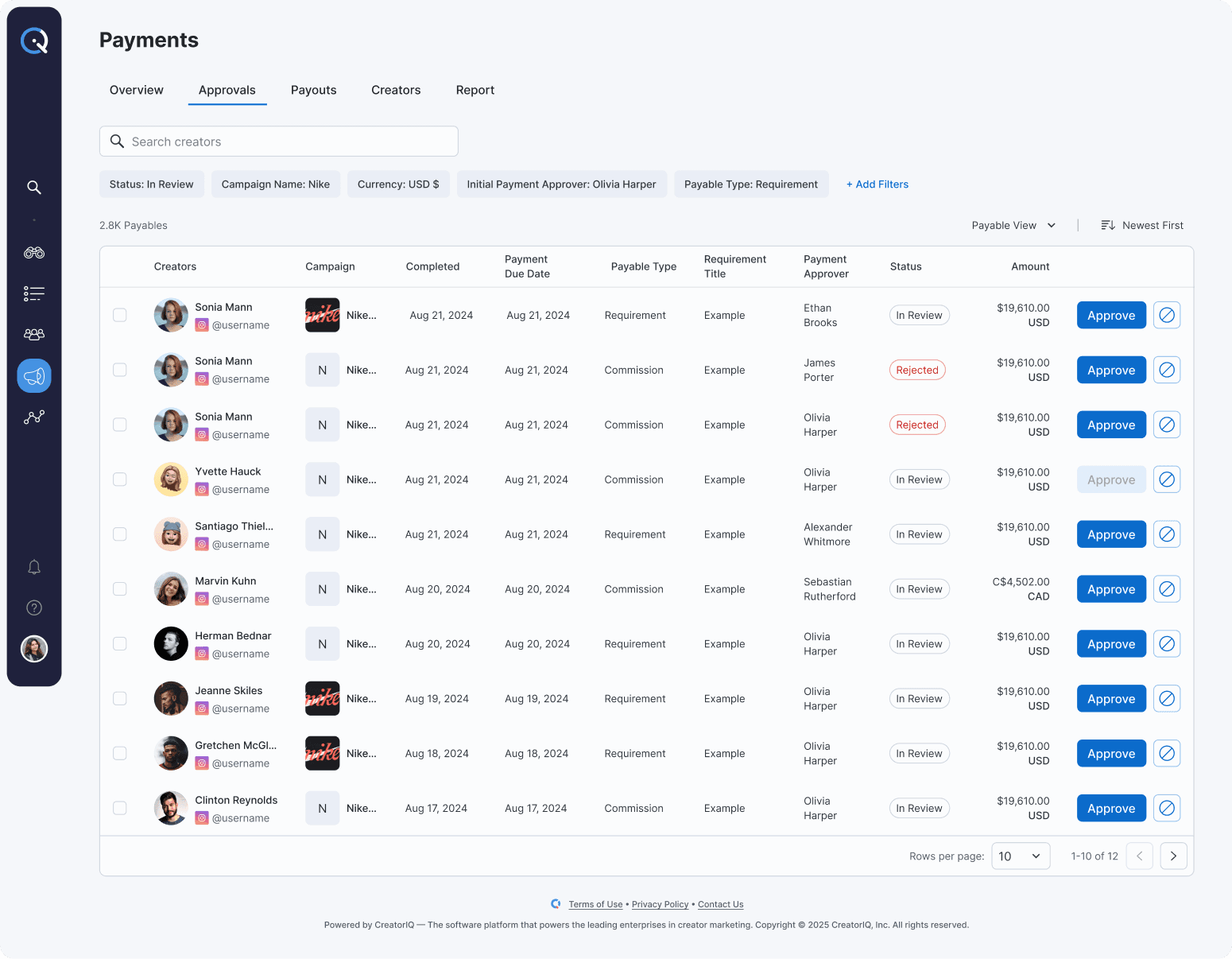
Approvals is a focused list designed for speed and accountability. Items are grouped by what managers care about — campaign, method, and currency — with bulk approvals/rejections and inline explanations that write to an audit trail. Smart filters make “clear today’s queue” a five-minute task instead of a wild goose chase.
Payouts
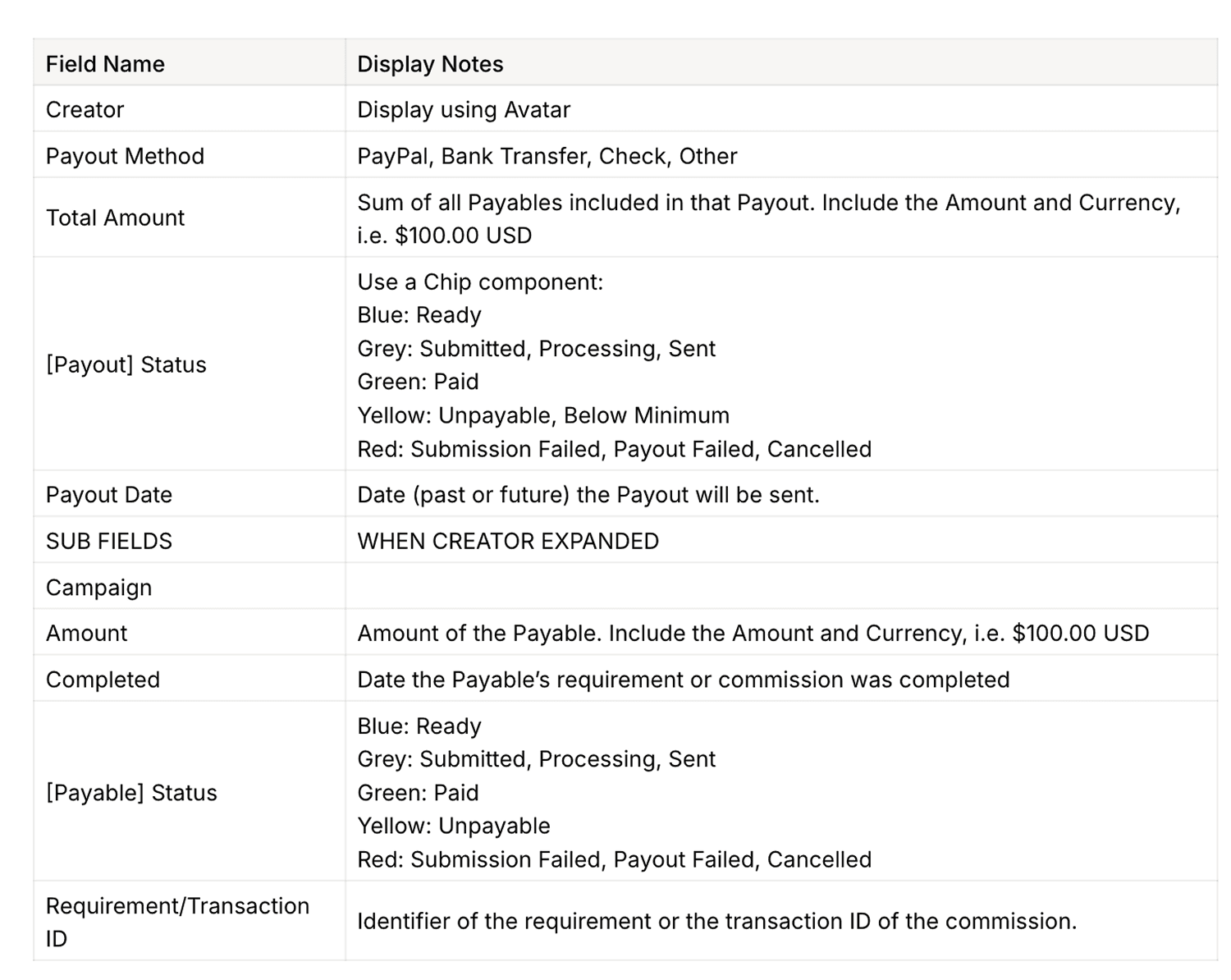
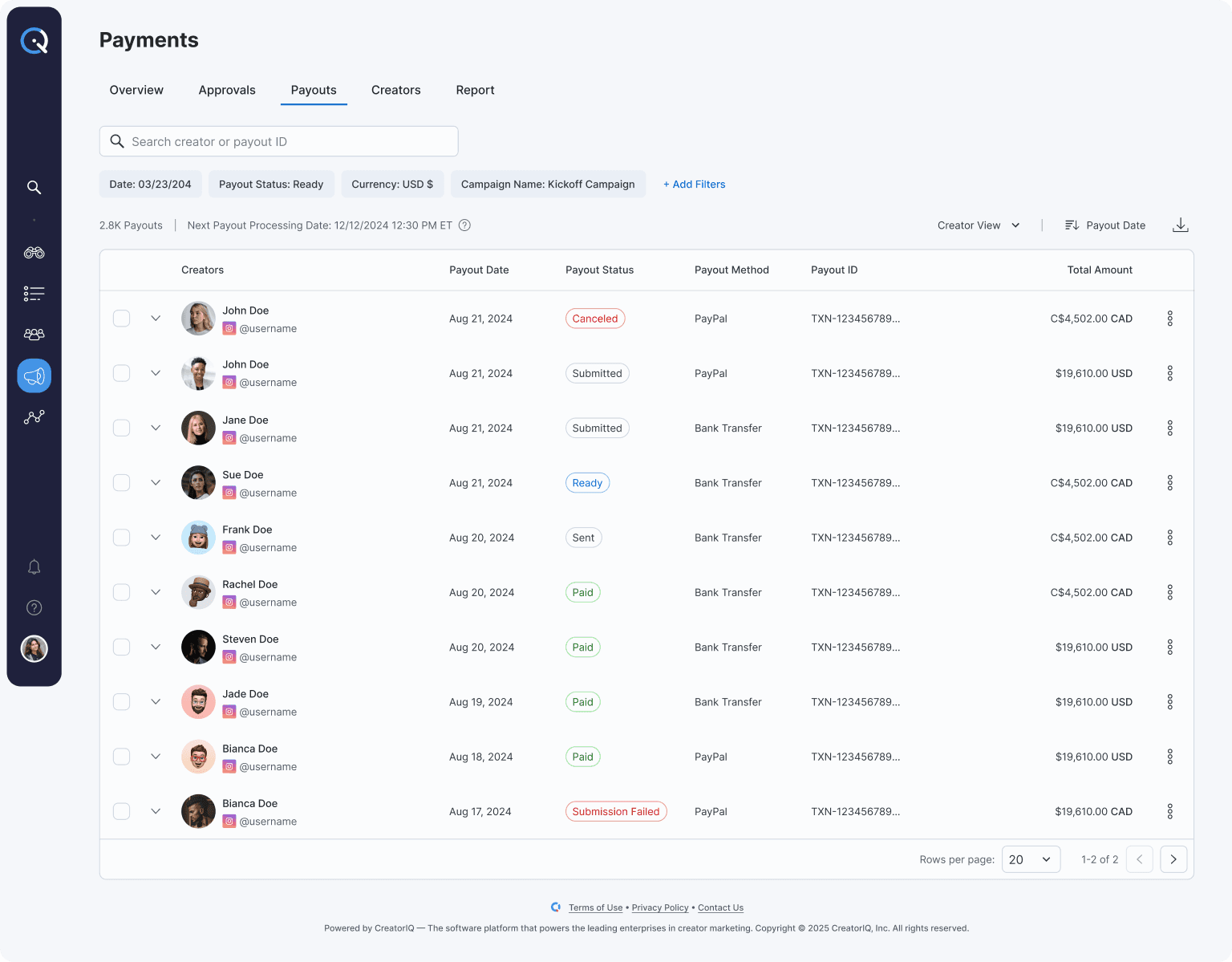
Payouts unifies Pending, Sent, and Failed payments into a single view. Solutions live next to problems, and filters let finance work a specific rail or currency without distraction. Status language is consistent across the platform, so nobody has to relearn terms between pages.
Settings
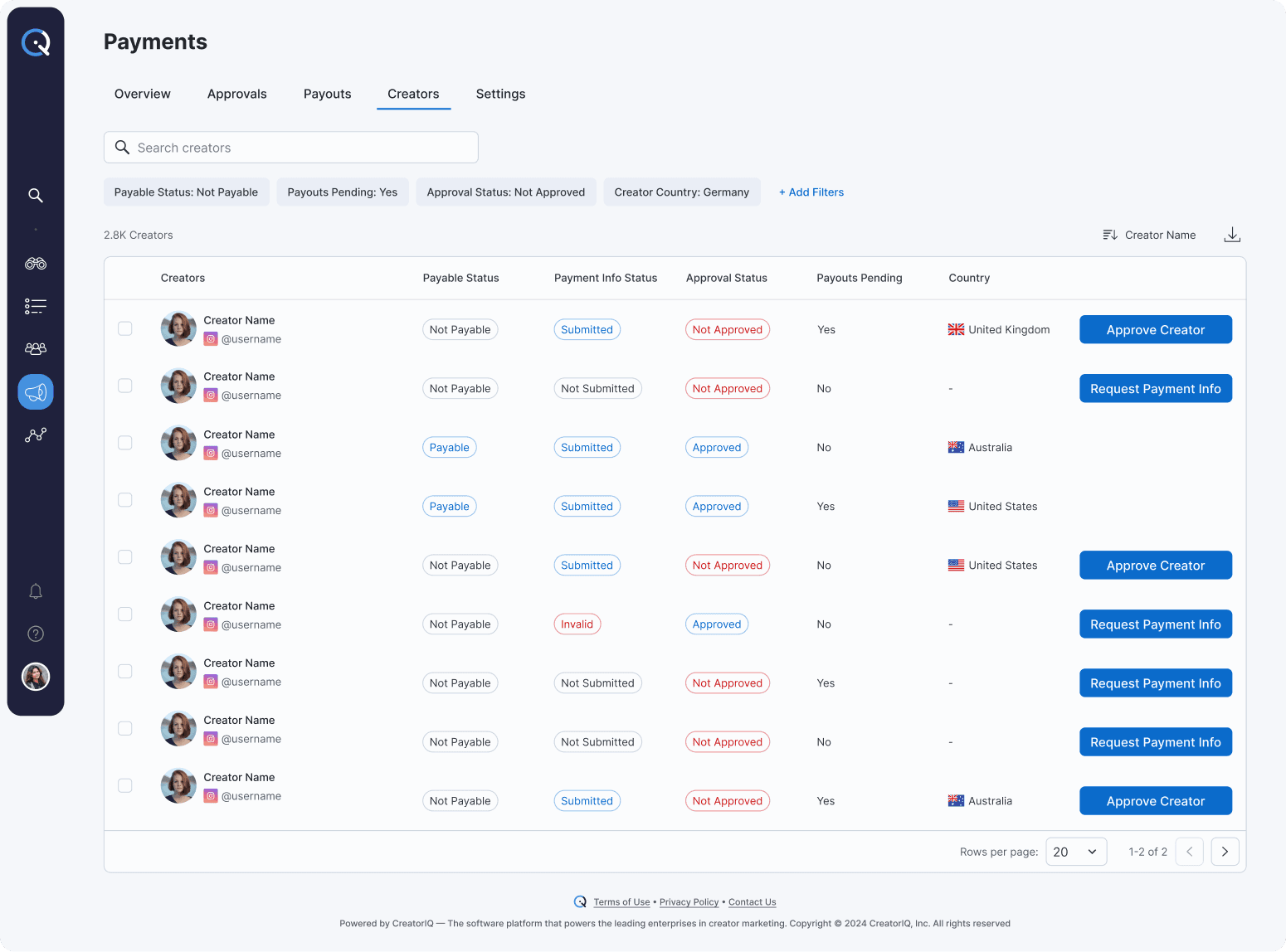
Settings helps manage payment methods, tax documents, roles/permissions, and currency wallets. If a change implies funding or re-verification, the UI offers that path in context so users don't need to backtrack or hunt down solutions.
Before → after
From scattered finance pages to one Payments section providing a clear and total picture
From surprise blockers to early notifications with actionable solutions
From mixed currency totals to explicit per-currency balances and filters
From slow approvals to a focused queue with bulk actions and auditability
Outcome
The dashboard has not been launched yet, as we are still improving some aspects based on internal feedback and user testing. I’m very excited to see the results and gather feedback from real users once it goes live. Knowing how this design will enhance the user experience and improve payment management keeps me motivated as we finalize the last details.
The end.
(or the beginning of a new collaboration)