Performance
Goal
Give content creators one home to track campaigns, monitor performance, and manage payment processes quickly and efficiently so they can focus on producing content.
Overview
CreatorIQ is a creator marketing platform used by brands and content creators to connect, collaborate, and run campaigns from inception to completion and payment. We designed a centralized home base for creators to handle all administrative and financial processes in one easy-to-use location.
Context
Creators come to CreatorIQ with simple questions: What worked this month? Which links drove sales? What actually got approved? Before, this information was siloed in different pages with different labels, forcing creators to piece together results from social analytics, affiliate dashboards, and their personal inboxes. The process was confusing, frustrating, and inefficient.
Core problems
Scattered metrics without a clear narrative
Unclear commission statuses (approved, pending, declined)
Inconsistent and weak filters (especially on mobile)
Sharing results with brands required screenshots and off-platform note-taking
Jobs to be done
Clearly display overall performance by time period
Highlight top posts and links to identify repeatable strategies
Track commissions and sales with legible statuses
Provide the ability to export proof of performance for brands and accounting
Design principles
Lead with clarity over volume
Maintain one set of terms across tabs, tiles, and tables
Make filters first-class and persistent
Centralize metrics and finances in one location
Provide clean exports mirroring on-screen filters
Information architecture
Performance → Overview · Links · Commissions & Sales
Solution
Overview
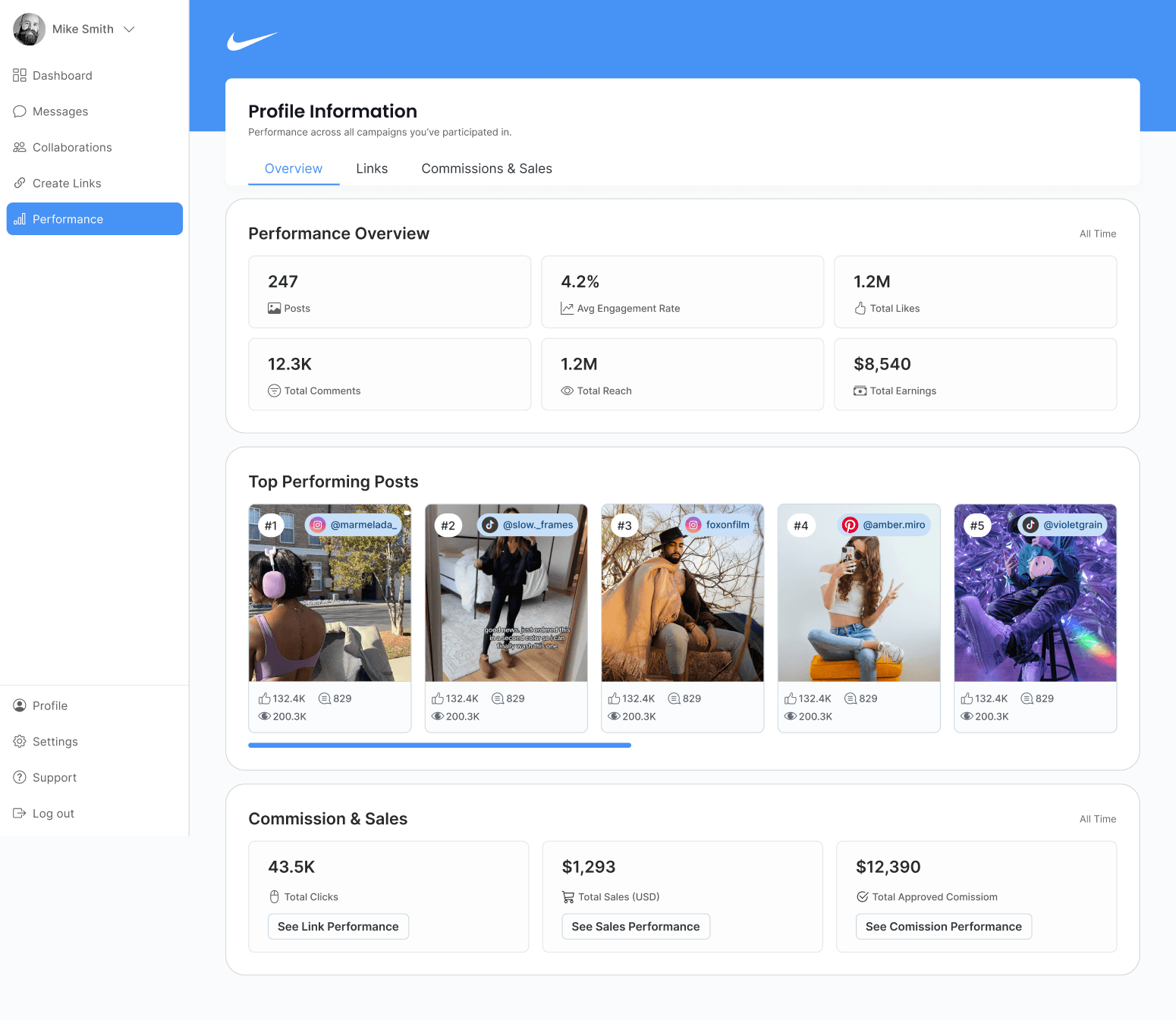
Creators land on the Overview page and immediately understand how they’re doing. Compact tiles show posts, engagement rates, reach, and total earnings for the selected period. The Top Performing Posts strip highlights five posts with quick stats. Two summary blocks guide deeper exploration—See Link Performance and See Sales Performance—providing a fast path from insight to action.
Links
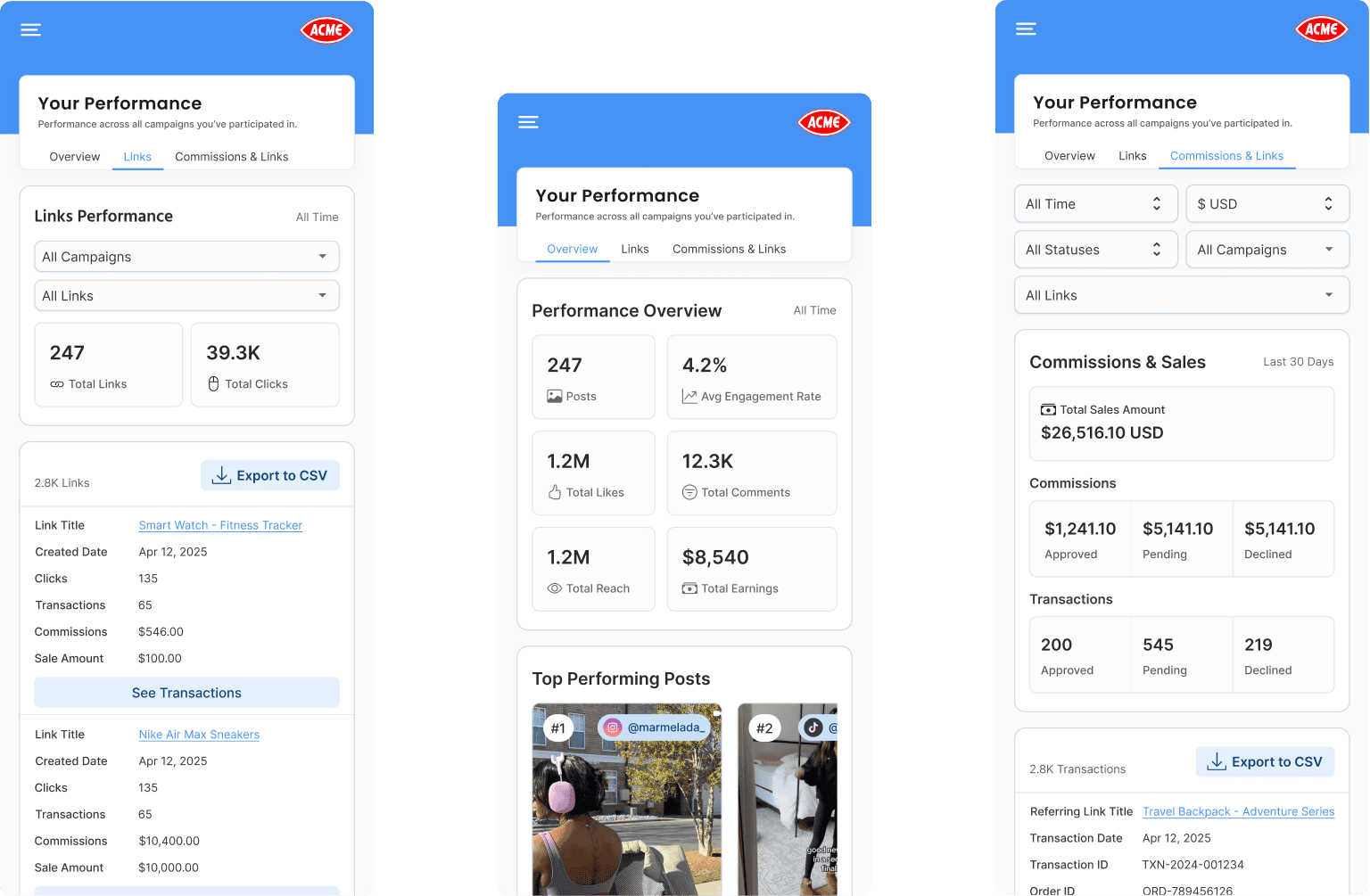
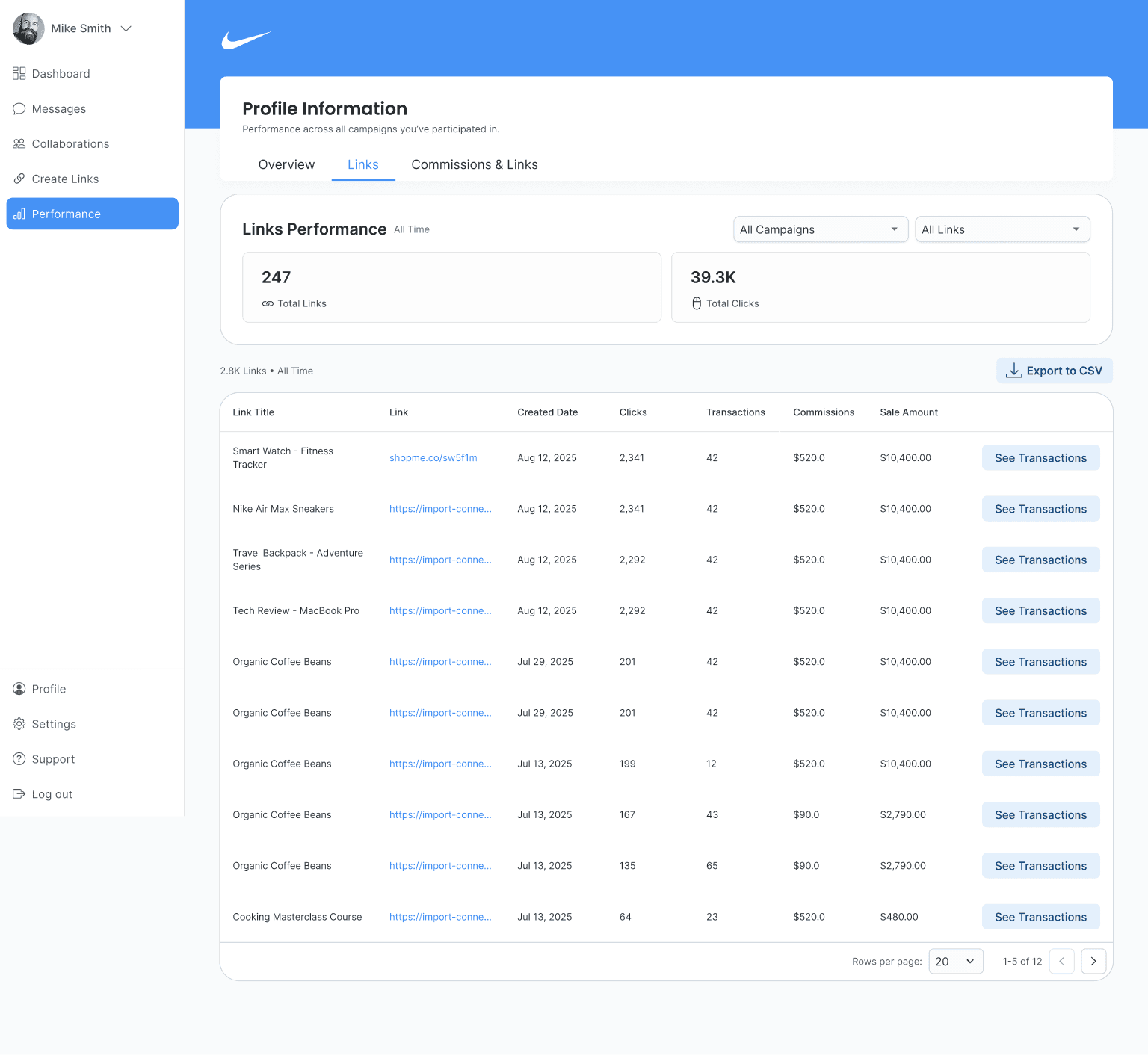
The Links tab lets creators filter affiliate links by date, clicks, transactions, commissions, and sale amount. Top-level counters show Total Links and Total Clicks with filters for campaign and link type to narrow scope quickly. Each row has a button to display transaction details, and CSV exports respect current table filters. On mobile, the display uses the same model with stacked cards for legibility.
Commissions & Sales
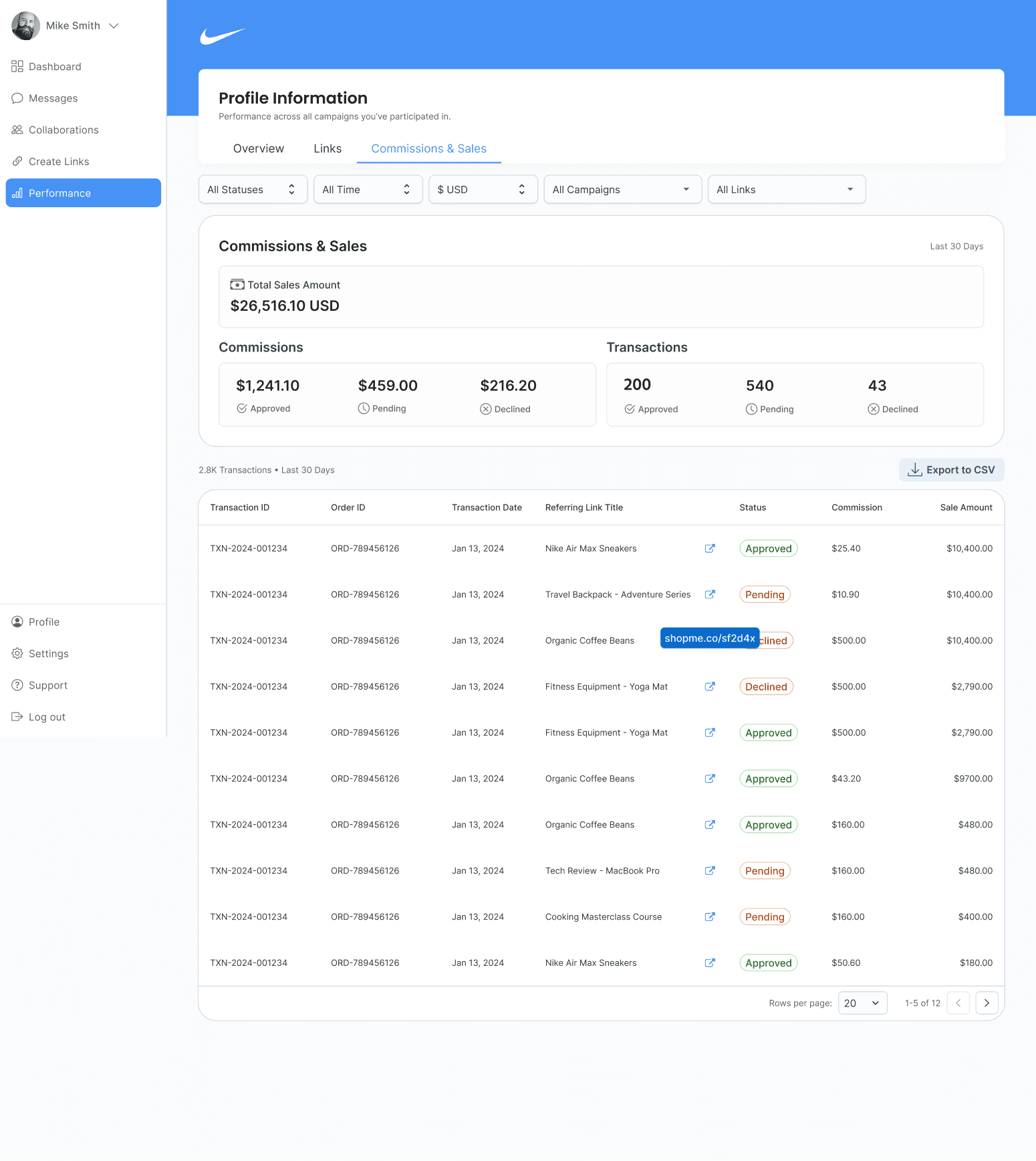
The third tab answers the three questions that creator support requests: What got approved?, What’s pending?, and What was declined? A summary band shows Total Sales for the period, then three cards break down commissions by state. The table lists transactions with status chips, order IDs, referring links, and amounts; exports match what’s on screen.
Clear money states reduce tickets and back-and-forth
One click jumps from a transaction to its link for context
All three tabs keep the same concepts on mobile. Sticky filters hold context, tiles stack cleanly, and exports work from the phone. A creator can answer how did I do this month and share a CSV on the go.
The end.
(or the beginning of a new collaboration)