Goal
Give creators an easy and efficient platform to collaborate with brands, join campaigns, track progress, and get paid.
Overview
Connect is CreatorIQ’s collaboration space where brands and creators find each other to collaborate. I redesigned the creators' experience from the ground up, making it easy for them to find partnerships, track results, and receive payments.
Defining problem
Creators’ Jobs-To-Be-Done (JTBD)
Receive invitations, evaluate offers, and accept deals
Communicate with brand teams about requirements, revisions, and performance
Track campaign fulfilment, milestone progress, and payment status
Track performance with proof and sharable statistics
Manage profile, social links, and critical payment information
These jobs became the backbone of the IA and the acceptance criteria for “good.”
How I grounded decisions
Started with a product audit to fully understand the creator flow
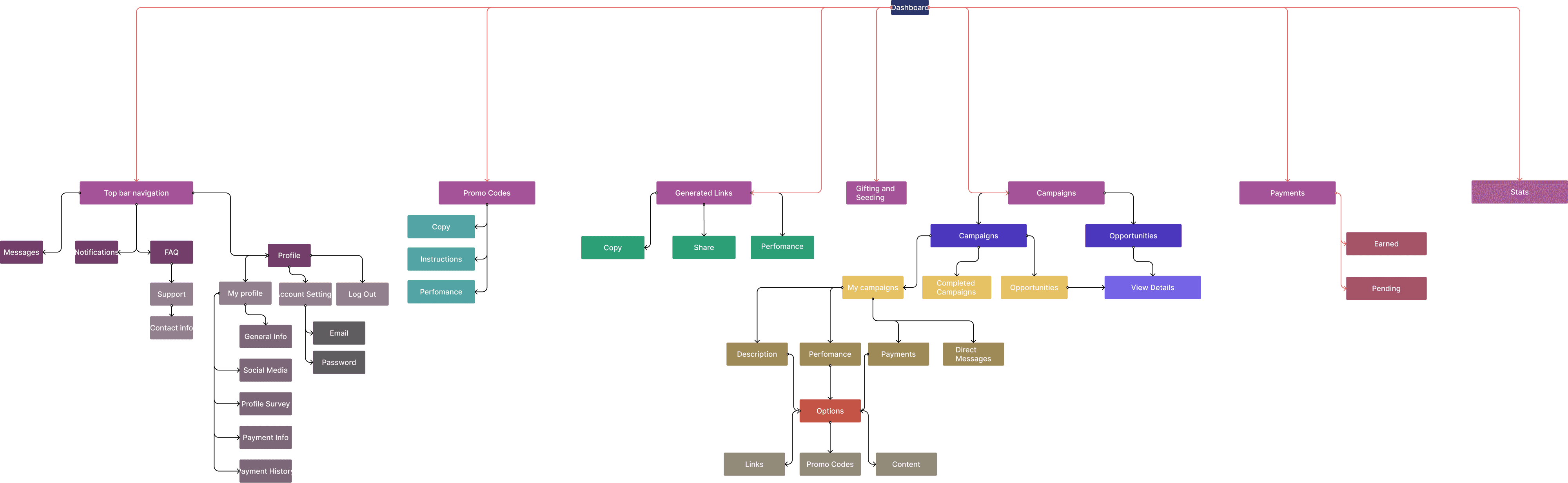
JTBD framing → “Find & join”, “Do the work”, “Get paid”, “See results”, “Manage account”
Tree testing + open card sort to validate labels and groupings
State-model design for requirements, account linking, and payouts
Prototype & usability passes on the entire experience
What we learned
Creators were struggling with more than just a convoluted UI. They were struggling to understand the entire process due to issues with structure, naming, and state clarity.
Resulting issues
Creators had to memorize where to find key information across several pages
New users were dropping off between invite → accept → first submission
Deals were blocked without clear action items or the creator's awareness
Payout opacity created issues with trust and support churn
In one place, creators should know what they need to do, how to do it, and when they’ll be paid.
Approach
Discovery → Define → Prototype → Validate
Discovery: audit the product, mine CX tickets, and interview creators to understand their processes and needs.
Define: convert JTBD into IA and a state model for requirements, linking, and payouts
Prototype: clickable flows for landing, campaign, requirements, and payouts; narrative microcopy
Validate: tree tests for findability; task-based usability on the creators' core paths
Design Principles
Every task lives in one place (no duplication)
Use nouns instead of verbs for clarity and recognition
Track progress for everything (campaigns, requirements, payouts)
Explain blocked states (why and what to do)
Consistent language across nav, tabs, empty states, and toasts
Solution
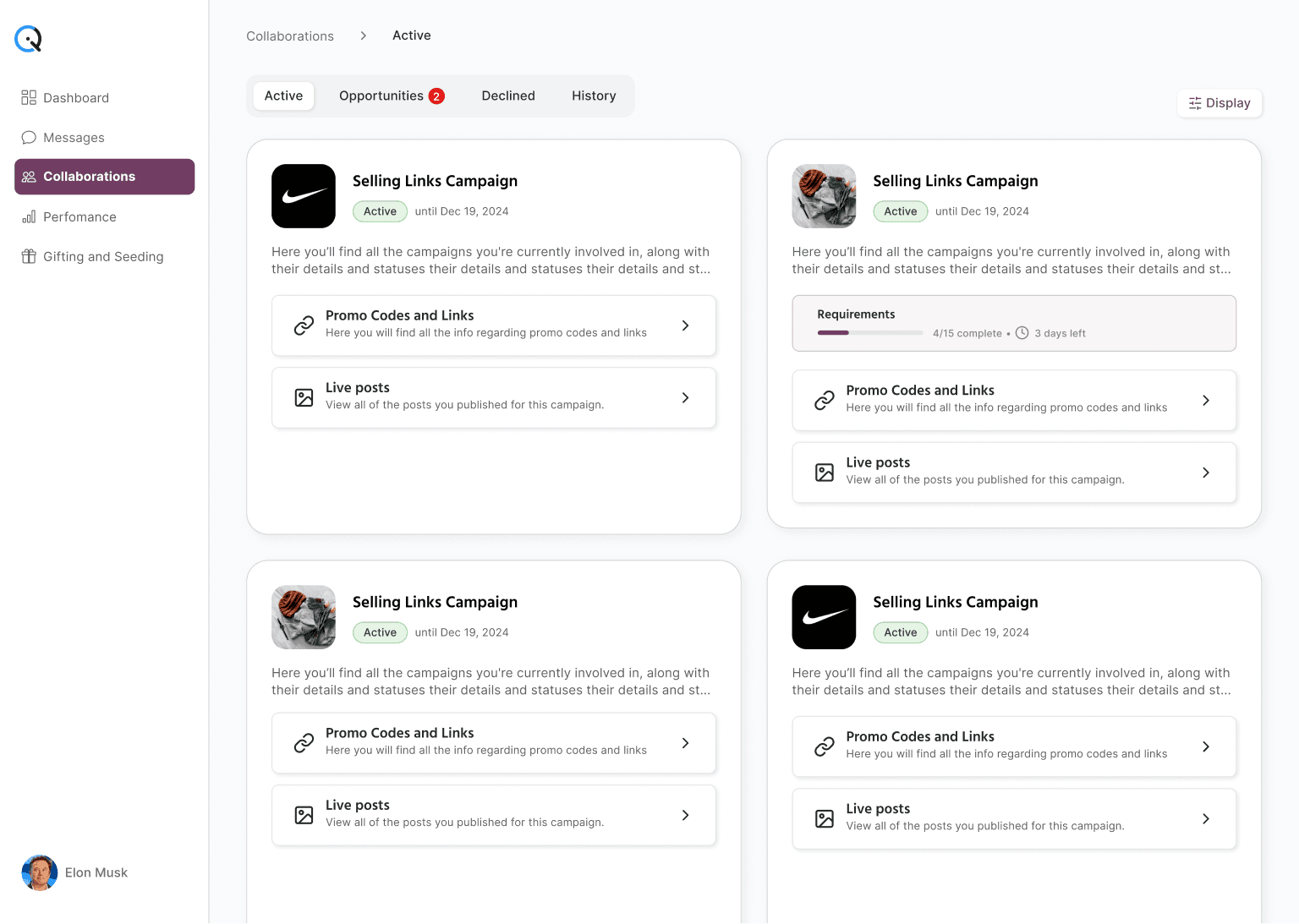
Creators land on the Collaborations page, showing them immediately what they need to do. Momentum begins upon arrival. Each card displays status, due-outs, and their next action item. Progress metrics stay parallel across the product, so card and campaign views always match. Shortcuts on the cards (grabbing a promo link and confirming a live post) reflect the two actions they'll take the most.
Open a campaign and the workflow presents a clear agreement. Overview provides clear context, not a wall of options. Requirements reads like a checklist, clearly communicating the plan and progress on what needs to be done. Accept a task and the state updates instantly. If progress is blocked, the product explains why, takes you straight to the fix, then brings you back home to finish.
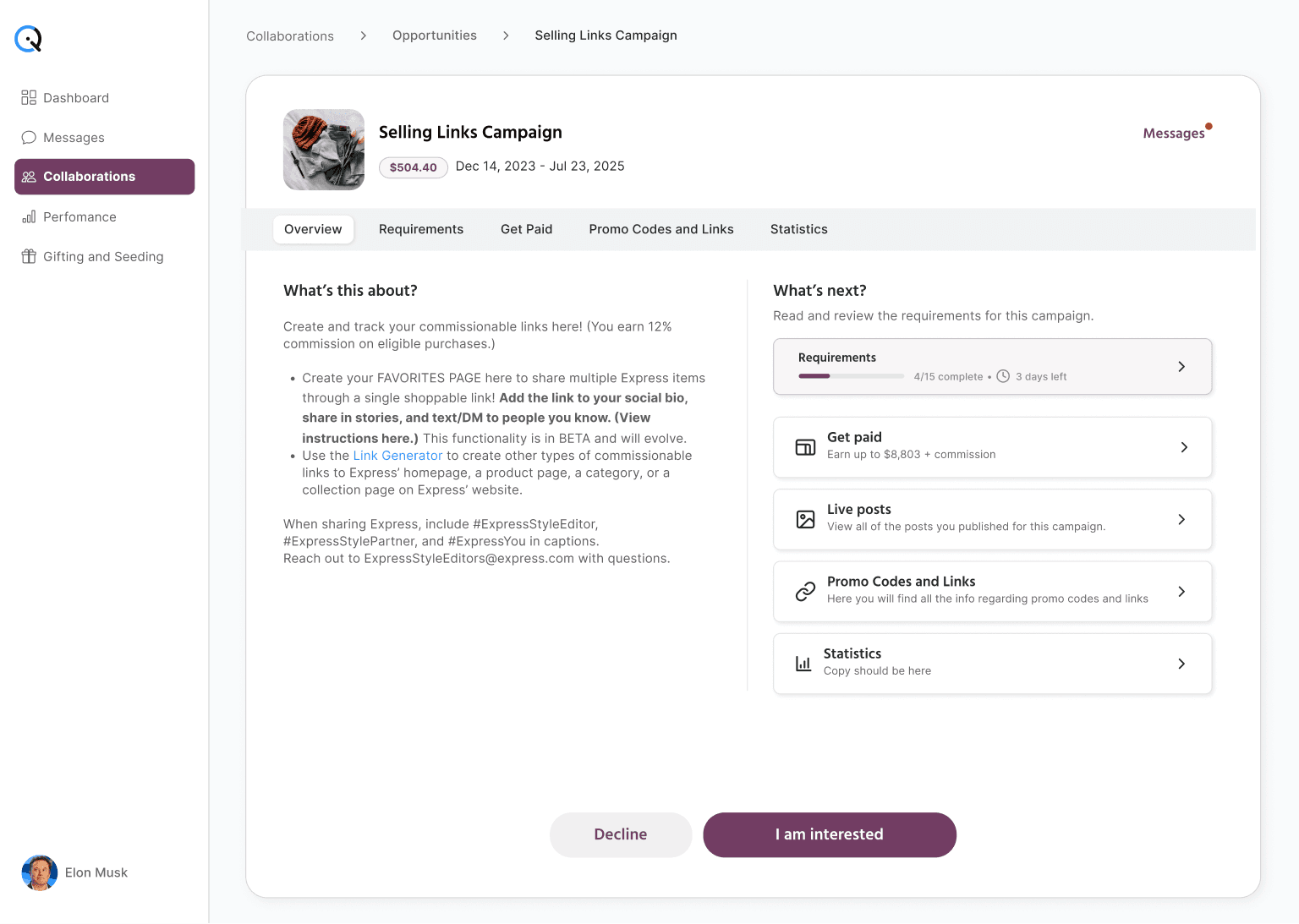
Payment is transparent. Get Paid shows what’s owed, what’s on hold, and when funds are on the move. No more support tickets asking "where's my money?" Promo Codes and Links is a one-click stop to keep the campaign rolling. Statistics closes the loop with outcomes that are easy to share with the brand team.
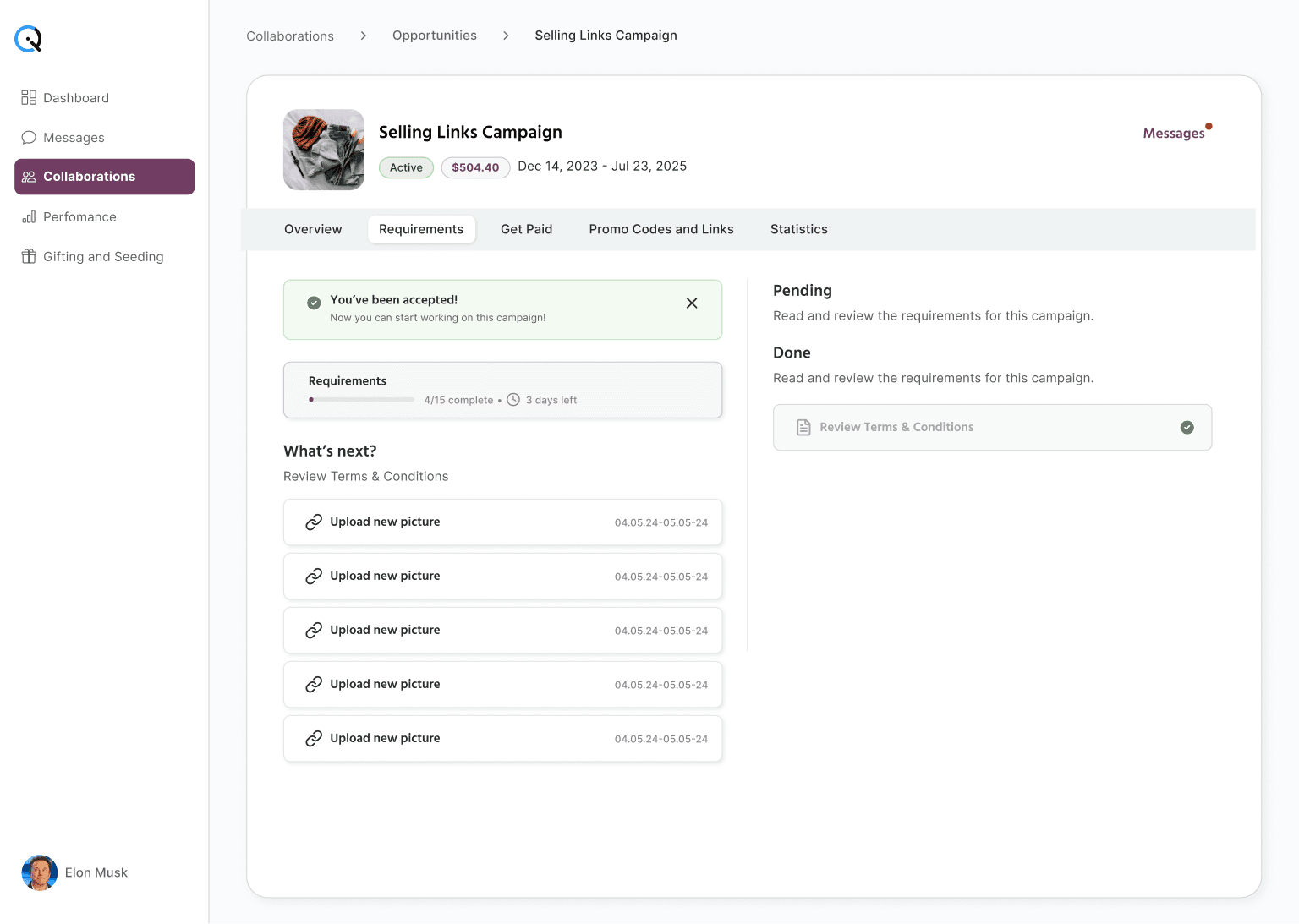
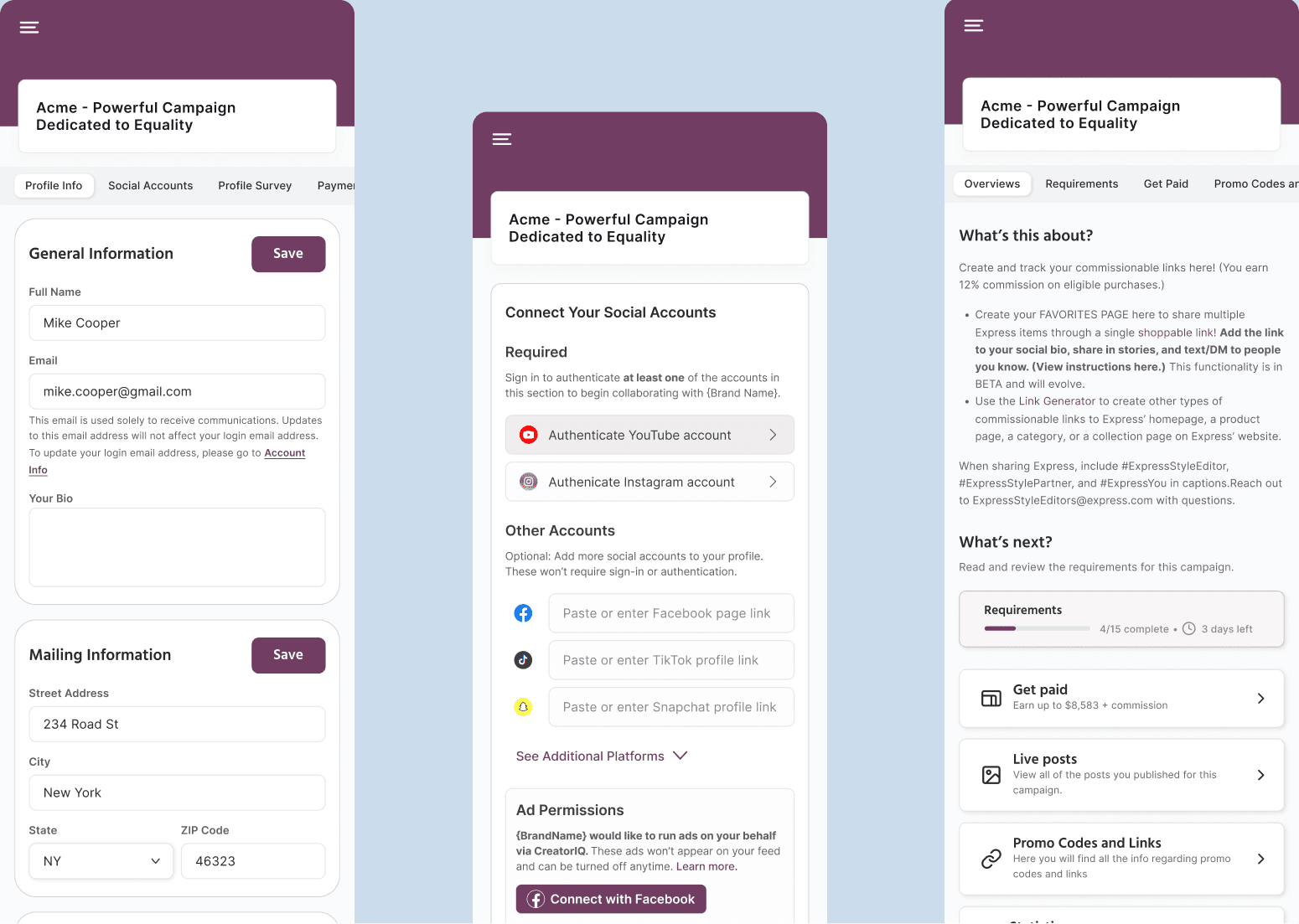
Account linking no longer derails work. Each social account carries a clear status — linked, expired, or permission missing. Re-auth flows request the exact scopes needed, then return you to the task without losing context. The “fix and resume” arc removes confusion and allows creators to keep momentum as they fulfill requirements.
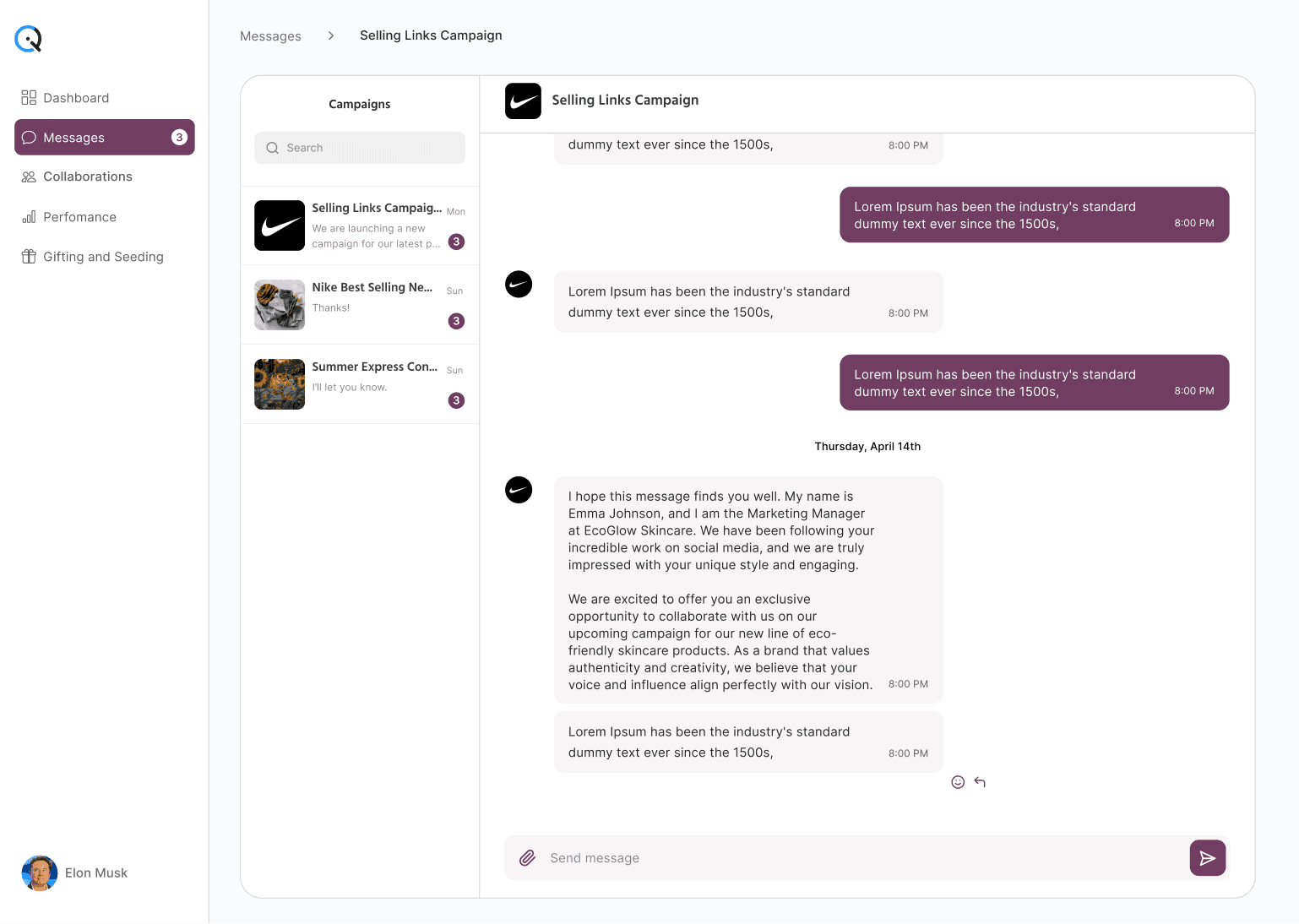
Language and states provide total clarity. Every concept has one name that stays consistent across the platform. No page is left blank — if a page is empty, you'll see what the page is for, why it's empty, and what you need to do. Errors read like instructions with a clear way forward.
Why this works
The product follows creator jobs cleanly from beginning to end. Each job has a single home, minimizing cognitive load. Progress and payout clarity build trust. The experience is calm, direct, and predictable — enabling creators to ship on time.
Before → After
From scattered pages & dead ends to a job-driven sidebar with intuitive navigation.
From “Why can’t I proceed?” to "Here's what you need to do."
From payout opacity to complete payment transparency.
From off-platform feedback to all-in-one-place campaign communication.
The end.
(or the beginning of a new collaboration)